Block Crush!
Wonderful StudioPuzzle
4.65.40K Reviews
- Version
- 3.2.8
- Installs
- 50.00M
- Age Rating
- Everyone
Screenshots
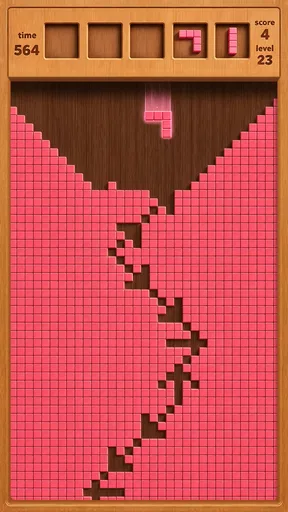
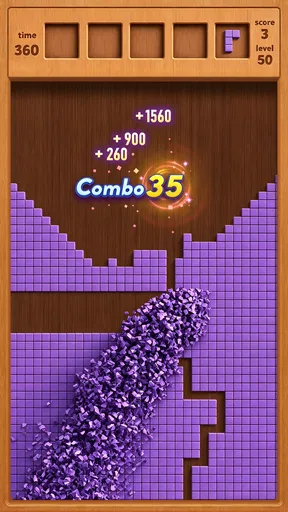
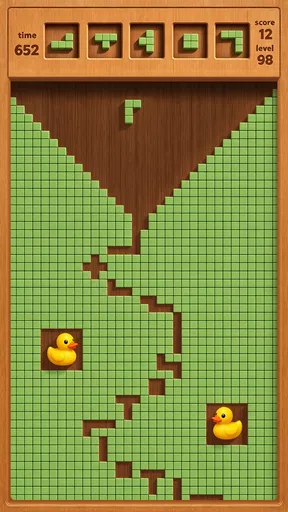
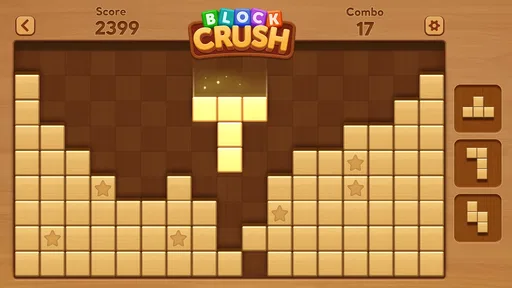
Our Review of Block Crush!
 Analysis by Appyee
I tend to judge a quick puzzle game by what happens in its first few moments: can I understand the board without a tutorial, and does placing a piece feel satisfying rather than fiddly? Block Crush! gets to that point quickly. It is a block-placement puzzle built around making room on a grid, so the appeal is immediate: study the open spaces, choose where a shape fits, and try not to leave yourself boxed in. I find that straightforward loop useful when I want a small mental challenge without committing to a story, a long match, or a complicated set of rules.
That simplicity is also the main thing to understand before downloading. This is not a puzzle game that asks me to learn a broad collection of mechanics before I can enjoy it. The decisions are about space and timing, and the pressure comes from whether a placement helps keep the board usable. If you like looking a few moves ahead, there is enough room for careful play; if you mainly want a visual distraction with no thought involved, some turns may feel more demanding than expected.
Quick to learn, slower to master
The basic rhythm is easy to follow: I place shapes on the grid and clear complete lines to open up room again. The challenge comes from fitting the available pieces sensibly rather than treating each move as an isolated success. A shape that fits right now can leave an awkward pocket behind, while a less obvious placement may preserve options for later. That makes the game approachable without making every decision automatic.
I would not describe the pace as a race. The useful kind of speed here is how quickly I can get into a round and understand what the board is asking of me. There is little to learn before the puzzle begins, but a good move still takes a moment to assess. When I am playing casually, that balance works well: I can move briskly if the board is open, then slow down when a placement could close off several spaces.
What makes a session satisfying
The most rewarding moments are often the quiet ones: spotting that two pieces can work together, clearing space before the board becomes cramped, or avoiding a tempting placement because it would create a gap that is hard to use. My practical tip is to look at the shapes you have available before making the first move, then scan for placements that preserve more than one future option. It is a small habit, but it helps me avoid filling the easiest-looking space simply because it is convenient.
That also explains where the game can become frustrating. A grid with fewer open spaces leaves less room to recover from a poor decision, and a shape that does not fit neatly can make the next move feel constrained. I like that the board gives my choices consequences, but I would not expect every session to end with a clean, satisfying run. If you prefer puzzles with a guaranteed solution path or a clear level-by-level finish, this open-ended style may feel less reassuring.
A simple fit for everyday breaks
Wonderful Studio’s puzzle game is free, and it has a 4.8 average from around 151,000 ratings. It has passed 10 million installs, so it is clearly a familiar pick for many mobile puzzle fans. The audience rating is Everyone, and the game was released on December 14, 2021. I see it as a low-commitment option for someone who wants a familiar kind of spatial puzzle rather than a game built around lengthy sessions.
For example, I might open it while waiting for a drink or sitting through a short gap between errands. I can focus on one board, put the phone away when the moment is over, and return another time without needing to remember a plot or a team strategy. On a commute, it makes sense when I have enough attention to watch the board and can safely keep the phone in hand; it is less suitable when I need to stay alert to announcements, walk through a crowded area, or keep switching between tasks.
Gameplay That Hooks You
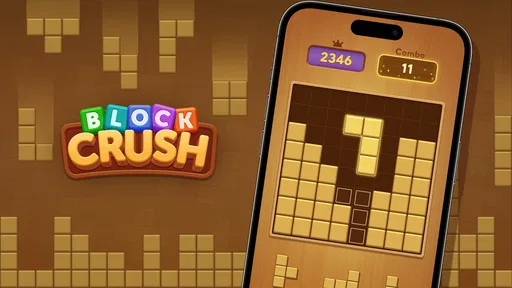
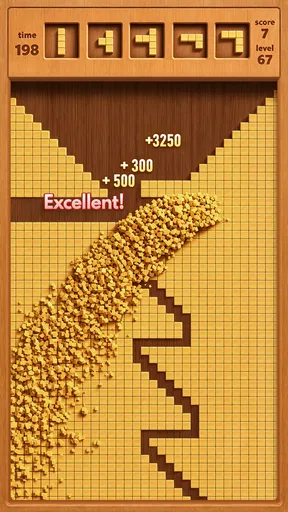
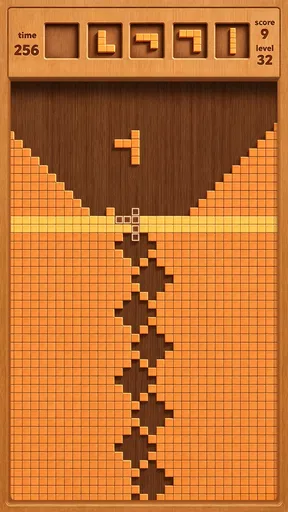
So, what's the deal with Block Crush!? It's a deceptively simple game that offers a fresh twist on the classic block puzzle. The aim is to fit different shapes into a grid, making complete lines to clear them out. Sounds easy, right? Well, think again!
As you progress, the shapes become trickier, and the grid starts to feel smaller. It's like a puzzle that teases your brain, daring you to make just one more move. And trust me, once you start, it's hard to stop.
Features That Stand Out
One of the things I love about this app is its minimalistic design. The developers have clearly focused on keeping the interface clean and user-friendly. The colors are vibrant yet soothing, making it a pleasure to look at while you play. Plus, the intuitive controls mean you can dive right in without a steep learning curve.
Another neat feature is the daily challenges. These provide a fun way to test your skills against other players and climb the leaderboard. It adds a competitive edge that keeps you coming back for more. And let's not forget the lovely sound effects that enhance the experience without being too distracting.
Choosing it over other puzzle styles
What separates this kind of board puzzle from a jigsaw or a word game is the way the difficulty emerges from your own placements. I am not searching for a hidden picture or a vocabulary answer; I am managing usable space. Compared with a timed match puzzle, it feels less like chasing rapid reactions and more like weighing the cost of a move. That makes it a better fit for me when I want a compact spatial-thinking exercise, though someone who wants varied objectives, a narrative campaign, or a stream of new mechanics may get more from another puzzle style.
There is a useful trade-off between playing quickly and playing carefully. If I place every shape as soon as I see a possible fit, I can keep the rhythm lively, but I may overlook a placement that clears a line or preserves a larger area. When the board starts to tighten, I pause and compare the available spaces instead of focusing on just the most obvious one. This is not a secret setting or a special mode; it is simply a way to get more deliberate play from the core puzzle.
How I handle crowded boards
When a board is open, I try to keep several kinds of space available rather than building a neat-looking pattern that only accommodates one shape. A broad empty area can be more valuable than a collection of small gaps, because it leaves room for pieces with less convenient outlines. I also check whether a placement will help complete a line without turning the remaining spaces into narrow dead ends. Thinking about the board’s next state, not just the immediate clear, is the most useful skill I have found.
If I do get into trouble, I treat the next move as damage control rather than trying to force a perfect recovery. Sometimes preserving one workable pocket is better than chasing a line clear that leaves the rest of the grid fragmented. That approach will not rescue every position, and that is part of the tension: the game rewards planning, but a crowded board can still limit the options. Players who dislike losing ground after a careless move should expect a learning curve in judgment, even though the controls themselves are easy to understand.
When a challenge becomes a commitment
The daily challenges mentioned in the game’s presentation add a reason to return beyond simply starting another ordinary round. I would treat that competitive element as an optional nudge, not the main reason to install it: the basic appeal is still the puzzle of arranging pieces. If comparing progress with other players motivates you, the leaderboard gives that routine a target. If competition makes a relaxing break feel like an obligation, it is perfectly reasonable to focus on the board itself and ignore that pressure.
A practical way to keep the game in its proper place is to decide before opening it whether I have time for one short puzzle or a longer stretch. The “one more move” feeling can make a brief break expand, especially when a board looks close to a good clear. I find it more satisfying as a deliberate pause than as something to check repeatedly while doing another task. That small boundary is useful for any absorbing puzzle, but it matters here because the rules are simple enough that starting another attempt takes very little effort.
What the app’s details mean for a new player
The game is free to play, and its current version is 1.8.3. It supports Android 6.0 and later, which gives it a broad compatibility range across Android devices. The listing also identifies it as a game for everyone. Those details make it easy to assess whether it is a plausible fit for an older Android phone or for a family member looking for an uncomplicated puzzle, while the main decision remains whether this particular style of spatial planning sounds enjoyable.
For iPhone and iPad users, I would focus on whether the version available for their device feels comfortable to operate rather than assume that every device behaves identically. In any mobile puzzle, screen size affects how much of the board is easy to inspect at once, and touch accuracy matters when placing a shape into a tight space. A larger display can make visual scanning more comfortable, while a smaller phone may be handier for brief sessions. Those are ordinary usability considerations, not reasons to expect a different set of rules.
Speed expectations and heavier play
Because the game’s central activity is arranging shapes on a grid, I do not expect it to feel like a graphically demanding action title. The board is visually simple, and the controls are direct, so the experience is designed around noticing space and making a placement rather than watching elaborate effects. That makes it a sensible candidate for short play on a range of devices, but I would not turn that impression into a promise about loading speed, battery use, or flawless performance on every phone.
Longer sessions change the kind of demand the game places on me more than the kind of demand I expect from the device. As the board fills, I spend more time inspecting gaps and checking what a move will leave behind. The mental load rises even though the puzzle’s basic interaction stays familiar. If I am tired or distracted, I make worse placements; taking a brief pause before a consequential move is more useful than trying to play faster just to maintain momentum.
Reliability, interruptions, and returning to play
I would treat any mobile puzzle as something to play when I can give it at least a little attention, rather than assume every interruption will be harmless. Before putting a device away mid-session, I make sure I have reached a natural stopping point if the current round matters to me. That is good practice for casual games in general, since a call, a notification, or a low battery can interrupt a session. I would not rely on an unfinished board as a substitute for saving progress unless the app itself clearly indicates that it has retained it.
The game’s simplicity is a plus if I want to return after a break: I do not need to relearn a complicated control scheme or recall a long sequence of objectives. Still, recovering the rules is not the same as recovering a particular board. If continuity matters, I would avoid closing the app in the middle of a run until I know how it behaves on my own device. That cautious approach is more honest than promising that every session resumes exactly where it stopped.
Who will enjoy it, and who may prefer something else
I would recommend this puzzle to someone who likes shape-fitting, tidy visual layouts, and decisions where one placement can affect several later ones. It also suits players who want a game that can occupy a small pause without requiring a group, a long tutorial, or a plot to follow. The best audience is probably someone who finds it satisfying to improve through observation: noticing which spaces stay useful, learning not to crowd the board, and gradually making fewer rushed placements.
I would steer away from it if your idea of a good puzzle is a set of authored stages with explicit goals and a clear endpoint, or if you need fresh mechanics to keep each session feeling different. A word puzzle is a better choice when you want language practice; a jigsaw is better when you want to assemble a fixed image; and a match puzzle may suit you more if you enjoy rapid visual combinations. Block placement is the point here, so its focused design can feel either calming or repetitive depending on what you want from a break.
Why It’s Worth a Try
If you’re like me and enjoy games that are easy to pick up but hard to master, then Block Crush! is right up your alley. It's perfect for unwinding after a hectic day or killing time on your commute. The game is free to download, with optional in-app purchases if you want to unlock extra features. Honestly, it's a steal considering the hours of entertainment it provides.
And for those worried about storage space, fear not! The app is lightweight, ensuring it won’t hog your phone’s memory. Plus, it runs smoothly without any annoying glitches. The developers have done a stellar job of optimizing it for both Android and iOS devices.
Final Thoughts
In a world filled with overly complicated games, Block Crush! is a breath of fresh air. It's simple, addictive, and a whole lot of fun. Whether you're a seasoned gamer or just looking for something to pass the time, this app is well worth a download. So why not give it a whirl? You might just find yourself hooked like I was!
Privacy and Permissions
See what permissions an app requests and how it handles your data.
- Photos/Media/Files
- read the contents of your USB storage, modify or delete the contents of your USB storage
- Storage
- read the contents of your USB storage, modify or delete the contents of your USB storage
- Wi-Fi connection information
- view Wi-Fi connections
- Other
- view network connections, full network access, control vibration, prevent device from sleeping
Verdict
Strengths of Block Crush!
- Engaging and addictive gameplay.
- Vibrant and colorful graphics.
- Smooth and responsive controls.
- Frequent updates with new levels.
- Minimal ads for free version.
Limitations of Block Crush!
- Can become repetitive over time.
- In-app purchases are expensive.
- Requires internet for full features.
- Limited power-ups available free.
- Some levels feel overly difficult.
Other Releases by Wonderful Studio
View All
Jade Mahjong
Board4.9
Similar Picks in This Category
View All
Block Blast!
HungryStudio4.8

Braindom: Brain Games Test
Lahana Game Studio4.6

AMAZE!
CrazyLabs LTD4.6

Sudoku - Classic Sudoku Puzzle
Oakever Games4.7

Art Puzzle - Puzzle Games
Easybrain4.8

Amaze GO!
Oakever Games4.9
Frequently Asked Questions
What is the main objective of Block Crush! and how does it work?
Block Crush! is a puzzle game where the main objective is to clear the board by strategically placing blocks in rows or columns. As you fill up a row or column, it disappears, earning you points. The game ends when there’s no more space to place the blocks. It’s a test of your strategic thinking and planning skills.
Is Block Crush! available for both Android and iOS devices?
Yes, Block Crush! is available for download on both Android and iOS platforms. You can find it on the Google Play Store for Android and the App Store for iOS. Ensure your device meets the minimum system requirements for optimal gameplay. Check the respective app store for details on compatibility.
Are there any in-app purchases in Block Crush! and are they necessary for gameplay?
Block Crush! offers in-app purchases, such as additional themes or power-ups, that can enhance the gaming experience. However, these purchases are not necessary to play or enjoy the game. Players can choose to spend money for a more personalized or easier experience, but the core game remains fully accessible for free.
How does the scoring system work in Block Crush!?
In Block Crush!, points are awarded for every row or column you successfully clear. The more blocks you clear in a single move, the higher the score. Combos and consecutive clears can lead to bonus points, encouraging strategic placements. Your high scores can be compared with friends or on a global leaderboard.
Does Block Crush! require an internet connection to play?
No, Block Crush! can be played offline, making it a great option for those on the go or without reliable internet access. However, some features, like leaderboard updates or certain in-app purchases, may require an internet connection to function properly. Enjoy uninterrupted gameplay anytime, anywhere.
Play our best games!


